WhatsApp or Website: Which Is Better for My Business?
WhatsApp is fast and personal, a website gets you found and builds trust. Here is an honest comparison and why most small businesses do best using both.
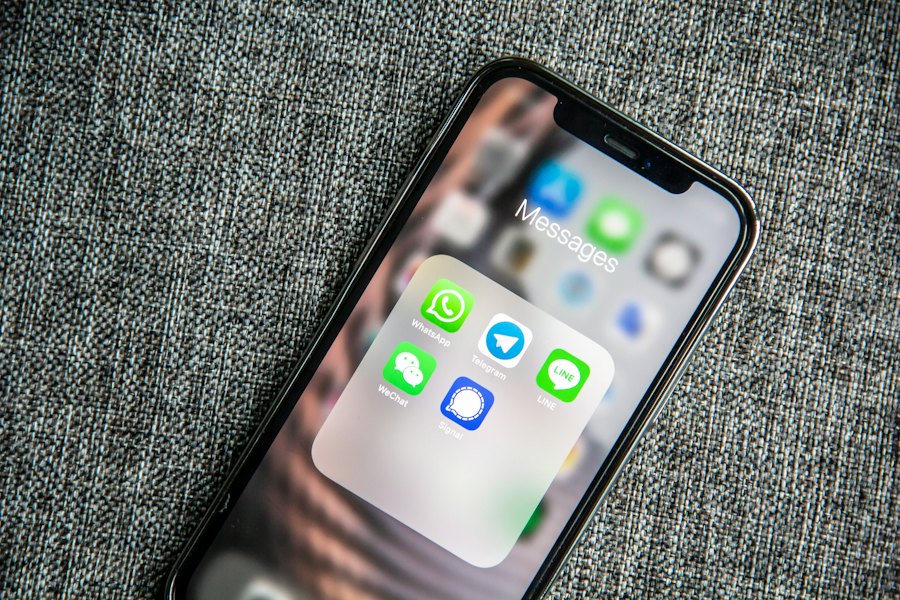
Short answer: It is not either or. WhatsApp is excellent for fast, personal conversations with customers who already know you, while a website is how new customers find you on Google, check you are legitimate and get answers without messaging. The strongest setup is a fast website with a clear WhatsApp button.
Why owners ask this
For many small businesses, WhatsApp is where the work actually happens. Quotes are agreed, photos of jobs are shared, bookings are confirmed and payments are chased, all in chat. In many parts of the world it is the default way customers talk to businesses. So a website can feel like an unnecessary formality.
But WhatsApp and a website solve different problems. WhatsApp is a conversation tool. A website is a discovery and trust tool. One without the other leaves a gap.
What WhatsApp does brilliantly
- Instant, personal communication customers already use daily.
- Sharing photos and voice notes, ideal for quotes ("send me a picture of the leak").
- Quick confirmations, reminders and updates.
- WhatsApp Business features: a business profile, catalogue, quick replies, greeting and away messages, labels.
- Strong repeat business: customers keep your chat and come back.
Where WhatsApp falls short
Nobody finds you on WhatsApp
WhatsApp is not a search engine. Someone who has never heard of you will search Google for "roof repair in Leicester" or "caterer near me". They see map results and websites. If you have neither, you do not exist to them.
Trust before contact
Many people will not message an unknown number. They want to see your work, reviews, prices or at least what you offer and where, before reaching out. A website does that quietly, any time of day.
Repetitive questions
Answering "how much?", "do you cover my area?" and "are you open Sunday?" dozens of times a week is time you are not paid for. A website answers those once.
Your inbox is not a record system
Enquiries get buried, especially on a busy day. Chats are tied to one phone. If the phone is lost or a staff member leaves, history and leads can go with it.
Platform dependence
Your WhatsApp Business account is subject to Meta's policies. Accounts can be restricted, for example if lots of people report or block you after unsolicited messages. A website on your own domain is yours.
Side by side
| Website | ||
|---|---|---|
| Brings new customers from Google | No | Yes |
| Personal, fast conversations | Excellent | Via forms or chat button |
| Answers questions without you | Only basic quick replies | Yes, 24/7 |
| Builds credibility with strangers | Limited | Strong |
| You own it | No | Yes |
| Cost | Free app; paid API options for scale | Setup and running costs |
Keep WhatsApp. Add the bit that finds you customers.
We build fast websites with a one-tap WhatsApp button built in. See our plans, from $99 setup.
The best of both: a website that feeds WhatsApp
The setup we recommend for most WhatsApp-led businesses looks like this:
- A fast website with your services, areas, prices or price ranges, reviews and photos.
- A clear "Chat on WhatsApp" button on every page, especially on mobile, using a click-to-chat link with a pre-filled message such as "Hi, I found you on your website and I would like a quote for...". See how to add WhatsApp to your website.
- A phone number and a simple form as alternatives, because not everyone uses WhatsApp.
- A Google Business Profile linking to the website.
- WhatsApp Business set up with quick replies that link back to specific website pages, like your price list or service areas.
The pre-filled message is a small trick with a big benefit: you instantly know the lead came from your website, and the customer does not have to think about what to type.
A worked example
Picture a small catering business in Lagos that runs entirely on WhatsApp. Orders come from word of mouth, and the owner answers menu and price questions all day. Growth has stalled because new people cannot find them.
They launch a simple website: menus with price ranges, event types, delivery areas, photos of past events, reviews, and a WhatsApp button that opens a chat saying "Hello, I saw your website and want to ask about catering for an event." Their Google Business Profile links to the site. Within a few months they get enquiries from people searching for event catering in their area, who arrive already knowing the menu and rough prices. Chats are shorter and more likely to turn into orders. Illustrative, but this is how the two channels reinforce each other.
Mistakes to avoid
- WhatsApp as the only contact option. Some customers, especially businesses and older people, prefer phone or email.
- Sending marketing broadcasts to people who did not opt in. It annoys people, gets you blocked and can restrict your account. Privacy rules also apply. This is general information, not legal advice.
- A personal WhatsApp for business. Use WhatsApp Business so you get a business profile, catalogue and quick replies, and keep work and life separate.
- A website without a WhatsApp button. If your customers love WhatsApp, make it one tap away.
- A slow website. If the page takes ages, people never reach the button. Check with our speed test.
Setting up WhatsApp Business properly
If you are using WhatsApp for work, set it up like a professional tool. Use the WhatsApp Business app on a dedicated business number. Fill in the business profile: name, category, description, address or service area, hours, email and website link. Add a catalogue of your main services or products with prices or ranges. Create a greeting message for first-time contacts and an away message for out of hours, so nobody feels ignored. Save quick replies for your most common answers, and use labels such as "new lead", "quote sent" and "paid" to keep track.
Then connect it to your website both ways: your website links to WhatsApp, and your WhatsApp profile and quick replies link back to specific website pages. That way each channel does what it is best at, and customers can move between them easily.
A note on measuring results
Because the pre-filled message from your website button is distinctive, you can count how many chats start from your site each month. Compare that with chats from Google Business Profile and referrals. Within a few months you will know exactly what your website is worth to you, in real conversations, not guesses.
What to put on the website first
Start with the questions you answer most in WhatsApp chats. If people always ask about prices, publish price ranges. If they ask whether you cover their area, list your areas. If they ask to see examples, add a gallery of recent work. Each answer you publish saves you time in chat and makes the customers who do message you more ready to buy.
Finally, add a short line near your WhatsApp button setting expectations, such as "We usually reply within an hour during working hours". It reassures people and reduces repeat messages.
Our take
We love WhatsApp. For a huge number of small businesses it is the friendliest, fastest way to close a sale, and we would never suggest you stop using it. But we have seen too many great businesses stuck at the size of their contacts list because strangers cannot find them or do not trust an unknown number.
A website is how you break out of that. It does not have to be big: a few pages that answer the common questions and push people into a WhatsApp chat is often perfect. That is exactly the kind of site SiteDrum builds, with WhatsApp built in and Google setup included. If you get all the work you can handle through referrals, you may not need a website yet, and that is fine. Related reading: website or social media: which is better.
Quick checklist
- Switch to WhatsApp Business if you have not already.
- Set up quick replies for your top five questions.
- Get a simple, fast website with services, areas and prices.
- Add a click-to-chat button with a pre-filled message on every page.
- Offer phone and form alternatives.
- Link your website from your Google Business Profile.
- Only message people who have contacted you or opted in.
The bottom line
WhatsApp is the best tool for talking to customers. A website is the best tool for being found and trusted by new ones. Put them together, a fast website with a one-tap WhatsApp button, and you get the reach of the web with the warmth of a chat.
Frequently asked questions
Can I use WhatsApp instead of a website?
You can run conversations through WhatsApp, but it will not help new customers find you on Google or check you out before contacting you. A website fills that gap. Most businesses do best with both, linked together.
How do I add a WhatsApp button to my website?
Use a click-to-chat link with your number in international format, optionally with a pre-filled message, and place it as a clear button on every page. Make it prominent on mobile. Many website builders and developers can add this in minutes.
Is WhatsApp Business free?
The WhatsApp Business app is free to download and use for small businesses. Larger-scale messaging through the WhatsApp Business Platform involves paid options. Check Meta's current terms and pricing for your country.
Should I send promotions to customers on WhatsApp?
Only to people who have opted in to hear from you, and keep it relevant and infrequent. Unsolicited messages lead to blocks and reports, which can restrict your account, and privacy rules may apply. This is general information, not legal advice.
Does a WhatsApp-led business need a big website?
No. A few fast pages covering services, areas, prices, reviews and a clear WhatsApp button are often enough. The goal is to be found and trusted, then move people into a chat. Speed and clarity matter more than size.
Want a website that brings you customers?
Tell us what you do on WhatsApp and we will send a fixed quote and a free mockup.
Get my free mockupRelated guides
Our products
Website design near you
Website design in LondonWebsite design in New YorkWebsite design in SydneyWebsite design in PerthWebsite design in GothenburgWebsite design in ChicagoWebsite design in The HagueWebsite design in OttawaWebsite design in BrightonWebsite design in HobartAll cities →